Tiimo is ready for iOS 27: what's new
Siri integration, intelligent lists, snap to plans, and XL widgets. Here's everything Tiimo is bringing to iOS 27.
No items found.

Siri integration, intelligent lists, snap to plans, and XL widgets. Here's everything Tiimo is bringing to iOS 27.
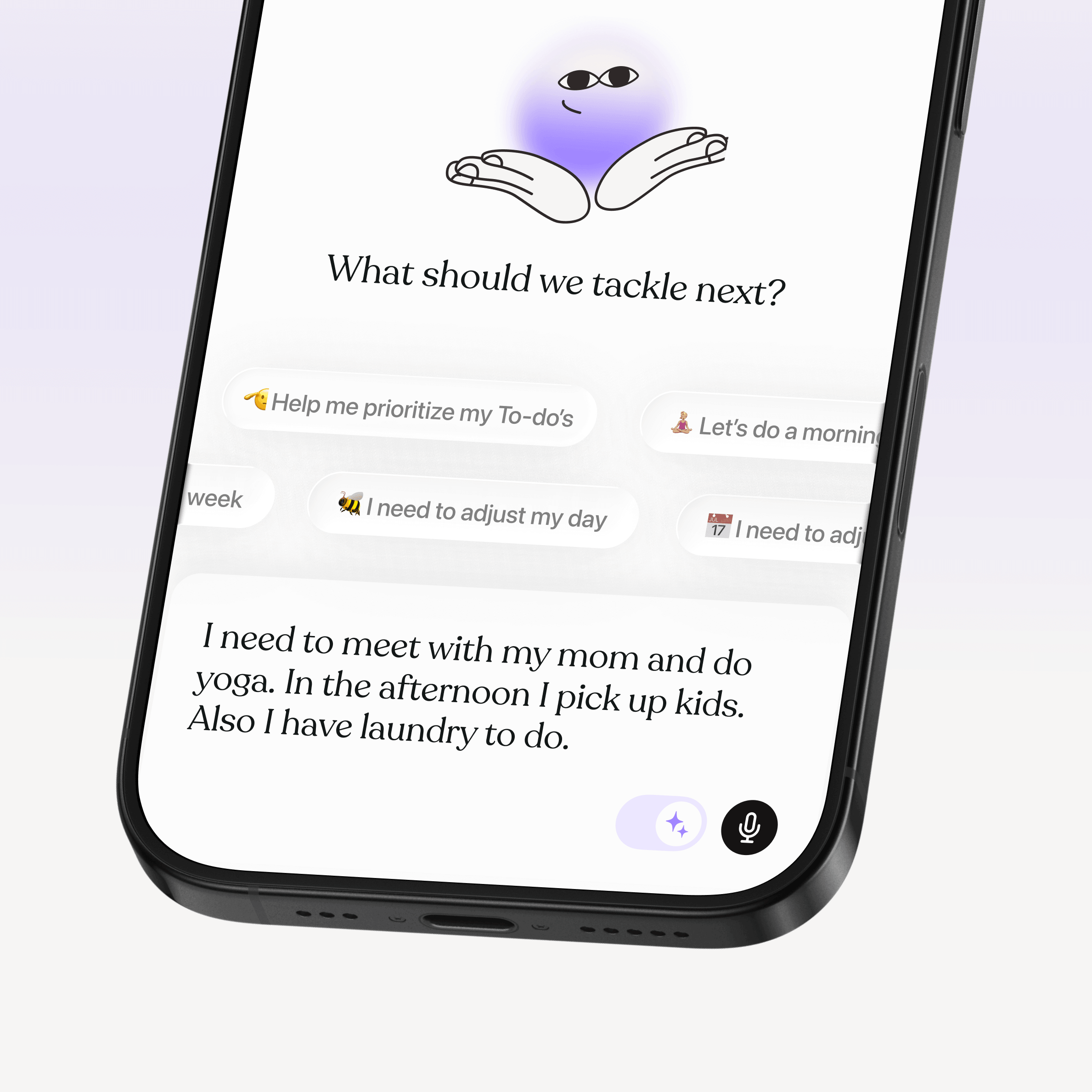
Apple's iOS 27 brings on-device AI through Apple's Foundation Models, deeper Siri integration, and interfaces that adapt to bigger screens and flexible window sizes. Here's everything that's changing, and what it actually does for your day.
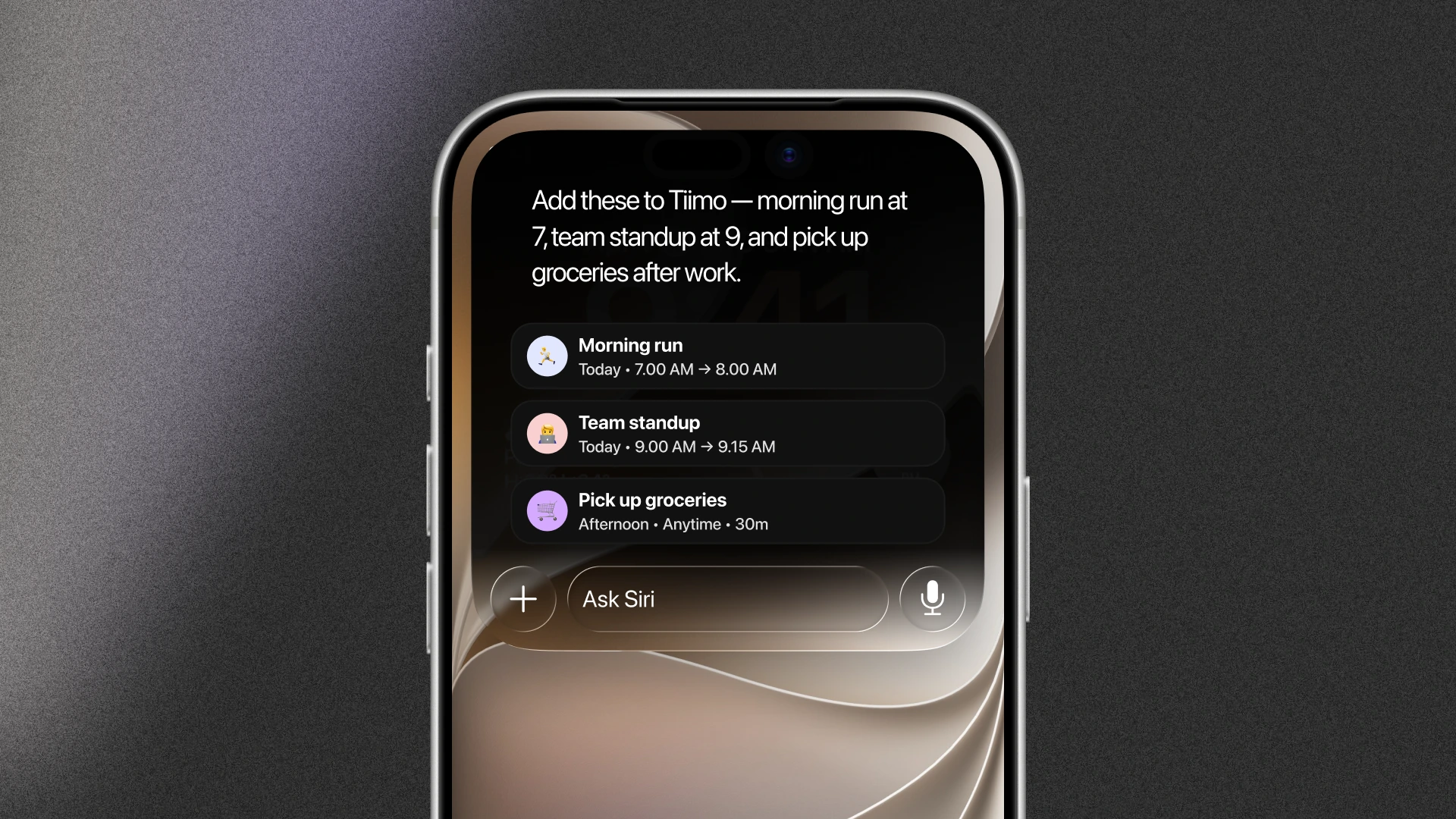
Tiimo connects into iOS through Siri and App Intents — add tasks, check your schedule, or reschedule items by asking Siri, and see Tiimo info directly in the OS.
Shortcuts and App Intents mean you don't have to open the app to use it. Tiimo actions show up in Shortcuts, Spotlight, and system suggestions, so adding a task or starting a focus session happens the moment it crosses your mind, no Apple Intelligence required.
Asking Siri directly draws on Apple's Foundation Model instead. Where it's available, that means you can:
Availability note: Shortcuts and App Intents work for everyone, on any supported device and in any region. Conversational Siri requires Apple Intelligence and is not currently available to users in the EU.
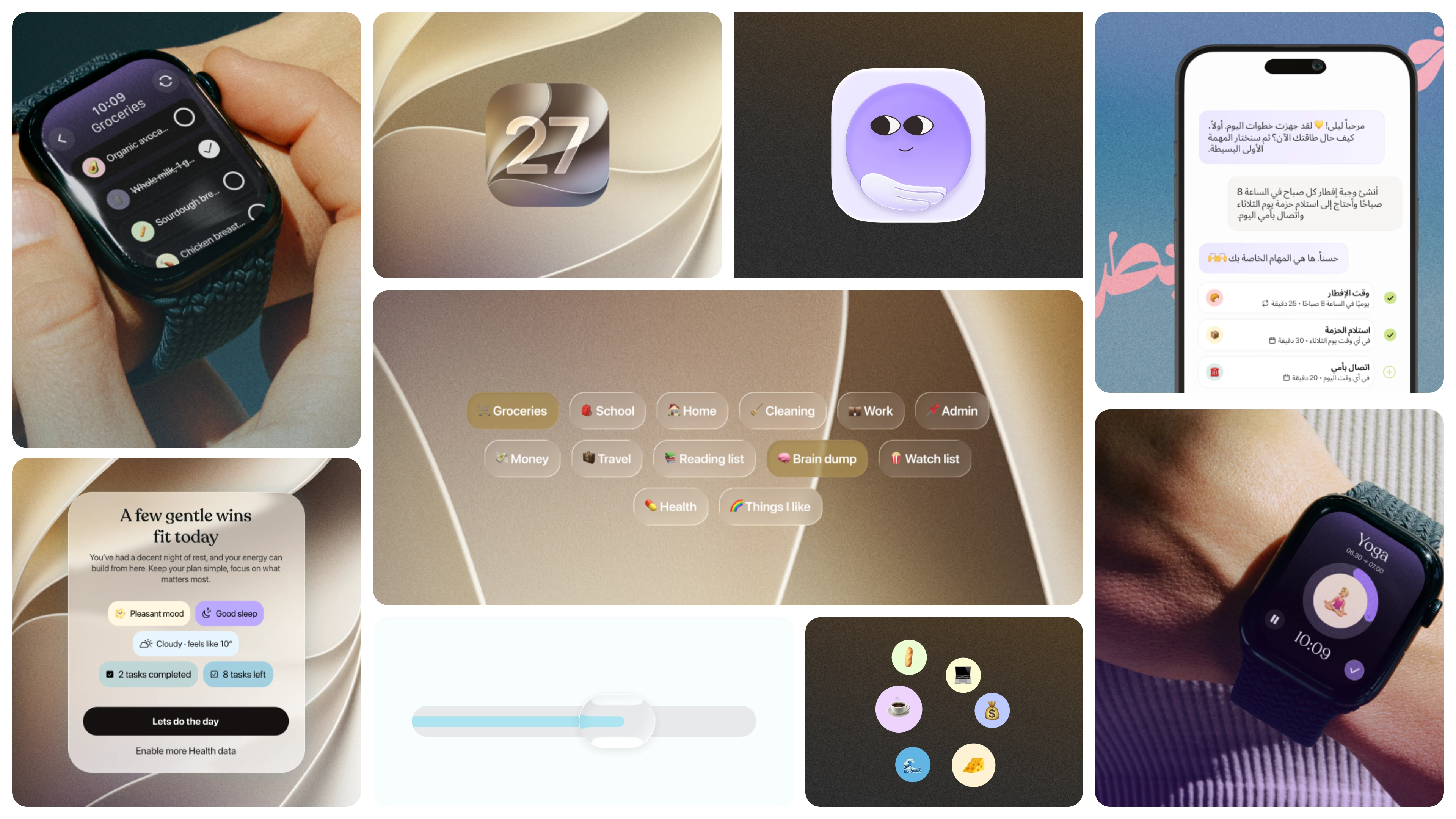
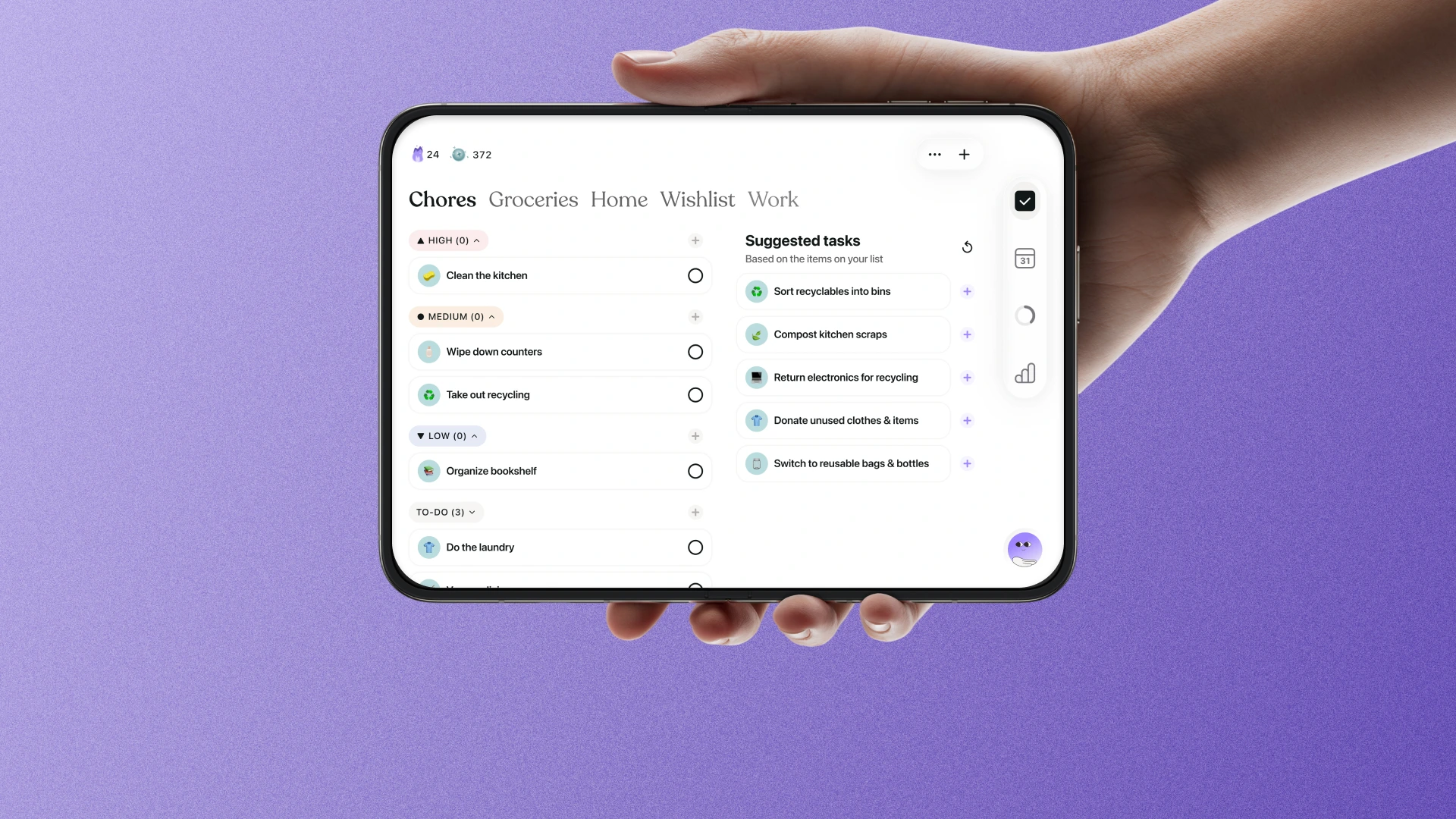
A blank list can be its own barrier. Open something like "Chores" or "Groceries" and Tiimo now shows AI-suggested tasks based on the list's title, what's already on it, and what you've added or completed before, similar to how a playlist fills in tracks you didn't have to pick yourself.
The suggestions sit underneath your existing items with a simple add button, so the list already feels started before you've typed anything. It's a small shift, but it moves the effort from "what needs to go on this list" to "does this one apply to me," turning the planning and organizing work of a blank list into a much easier question to answer. It's the same thinking behind how Tiimo's AI co-planner was designed: support the decision, don't make it for you.
Availability note: Available to all users on iOS 27, from Tiimo app version 3.64.0.
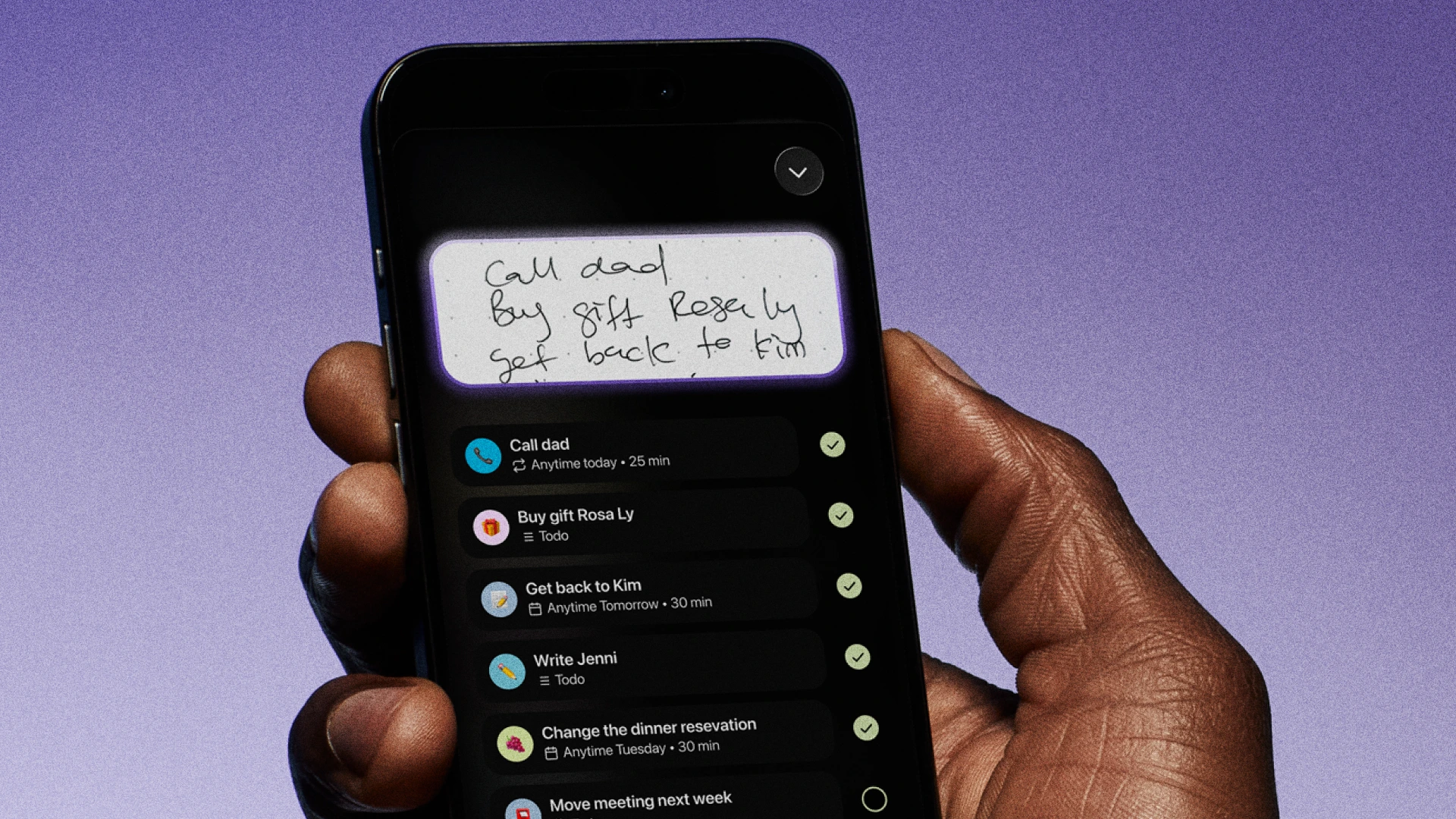
Snap to plans reads a photo of handwritten notes, sticky notes, or a scrap of paper and turns it into a set of clear, editable tasks. A quick "call dad, buy gift, get back to Kim" scrawled in a notebook becomes three separate to-dos with their own timing, without you having to retype or reorganize anything first.
"Snap to plans" is built on Apple's on-device Foundation Model, so the messy middle step, the part where a thought has to become organized before it can become a task, gets handled automatically instead of resting on working memory to hold it together until you get around to it. For more on how we got here, Tiimo's AI planner story goes deeper.
Availability note: Runs on Tiimo's on-device Foundation Model. Requires iPhone 16 Pro or newer, and Tiimo app version 3.64.0 or later.
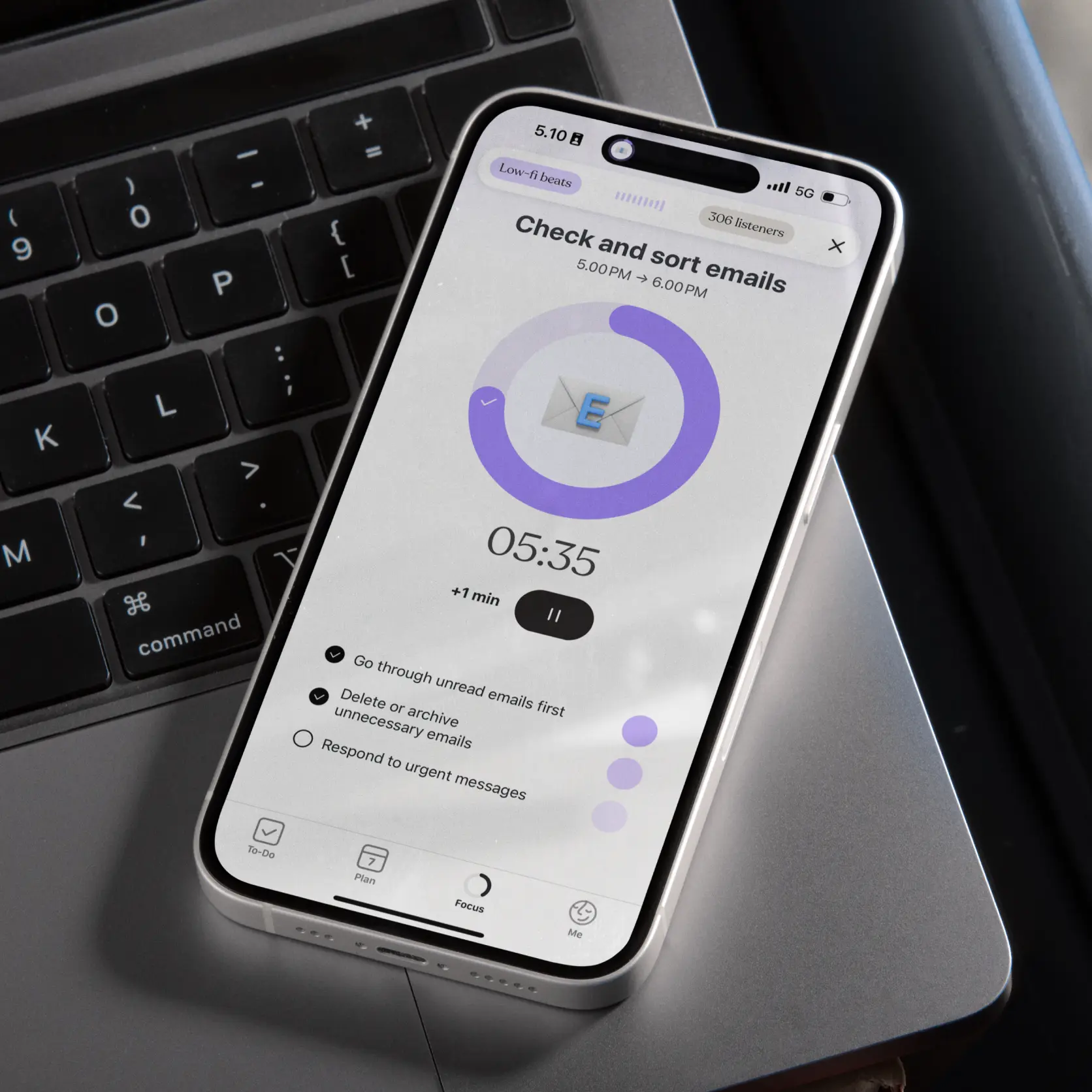
When you create a task or a list, Tiimo can now generate a fitting color and emoji automatically, break a larger task into subtasks (the planning and organizing work of turning a goal into steps), and estimate how long something will take (pushing back against time blindness, the tendency to lose track of how much time a task actually needs), all without you filling in each field by hand.
None of this is a single feature you turn on. It's a layer running underneath ordinary planning that removes a few taps here and a few decisions there, which adds up over a full day of use.
iOS 27 introduces XL widgets and more flexible window sizing, and Tiimo's layout has been rebuilt around a consistent rule: the primary action always sits on one side of the screen, and supporting tools and context sit on the other.
That structure holds steady whether you're looking at a compact widget or a resized window, so the interface adapts without becoming harder to scan. Tiimo's widgets and Live Activities, which we covered in an earlier update, already helped you check a plan without opening the app, and without having to hold that plan in your head between glances; this update extends that same idea to the bigger surfaces iOS 27 makes possible.
Availability note: Available on iOS 27.
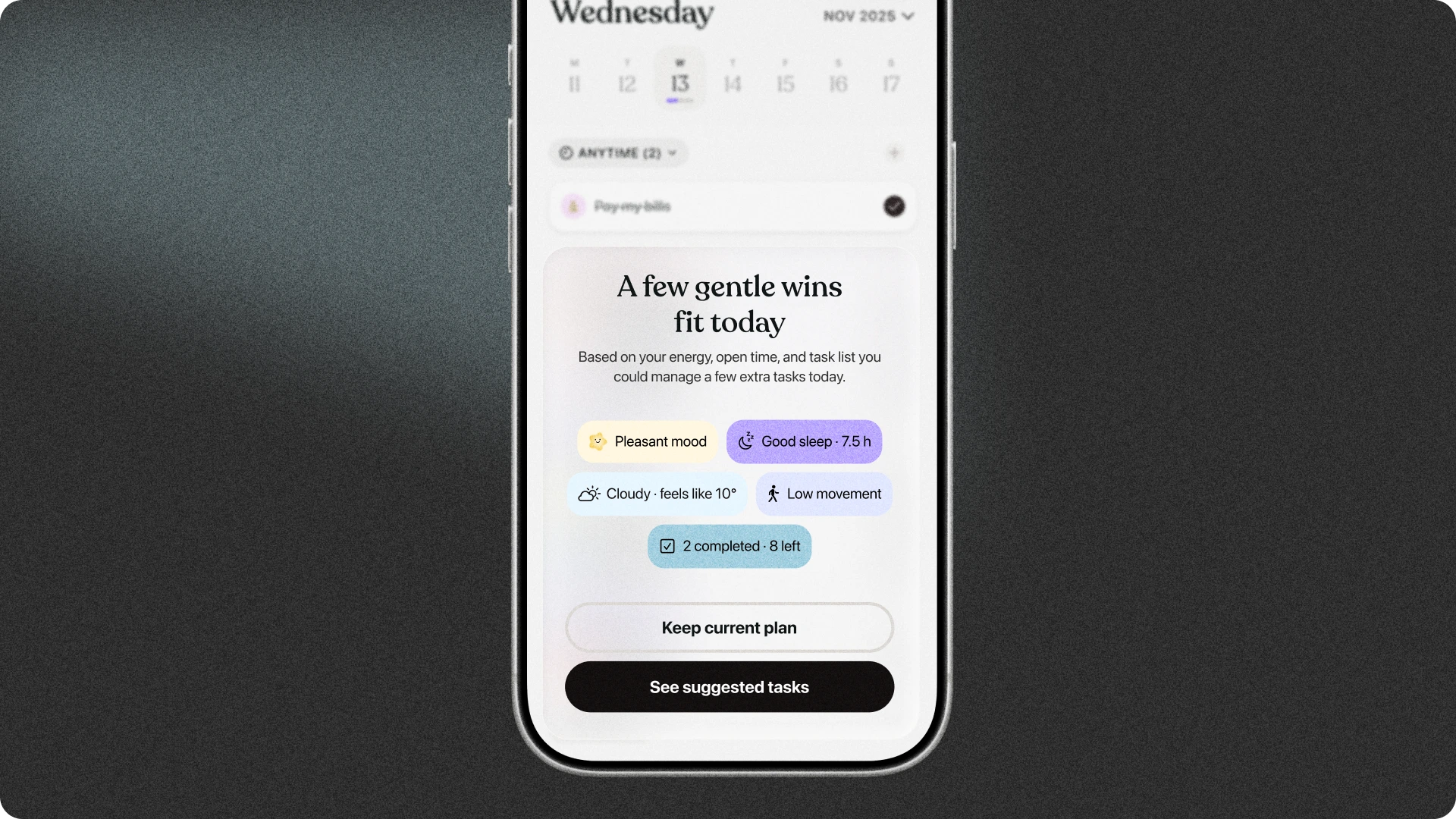
Adaptive planning connects HealthKit data, like sleep and activity, with your Tiimo plan to understand how the day is actually going, not just how it was scheduled to go.
When something shifts, Tiimo gives a short daily reflection and can suggest a gentle adjustment: moving a task, adding a break, trimming the plan, or simply helping you refocus. It's a mix of self-monitoring, noticing how the day is actually unfolding, and cognitive flexibility, adjusting the plan instead of treating it as fixed once it's set. Both build on the same Apple Health connection behind Tiimo Wellbeing, extending it from reflection after the fact into something that adjusts alongside you as the day happens.
Status note: Runs on device Foundation Model, requiring iPhone 16 Pro or newer and Tiimo app version 3.64.0 or later.
Tiimo has a new app icon, designed for iOS 27's updated icon system.
Tiimo now supports Arabic, including full right-to-left layout, the first step toward broader language support beyond English.
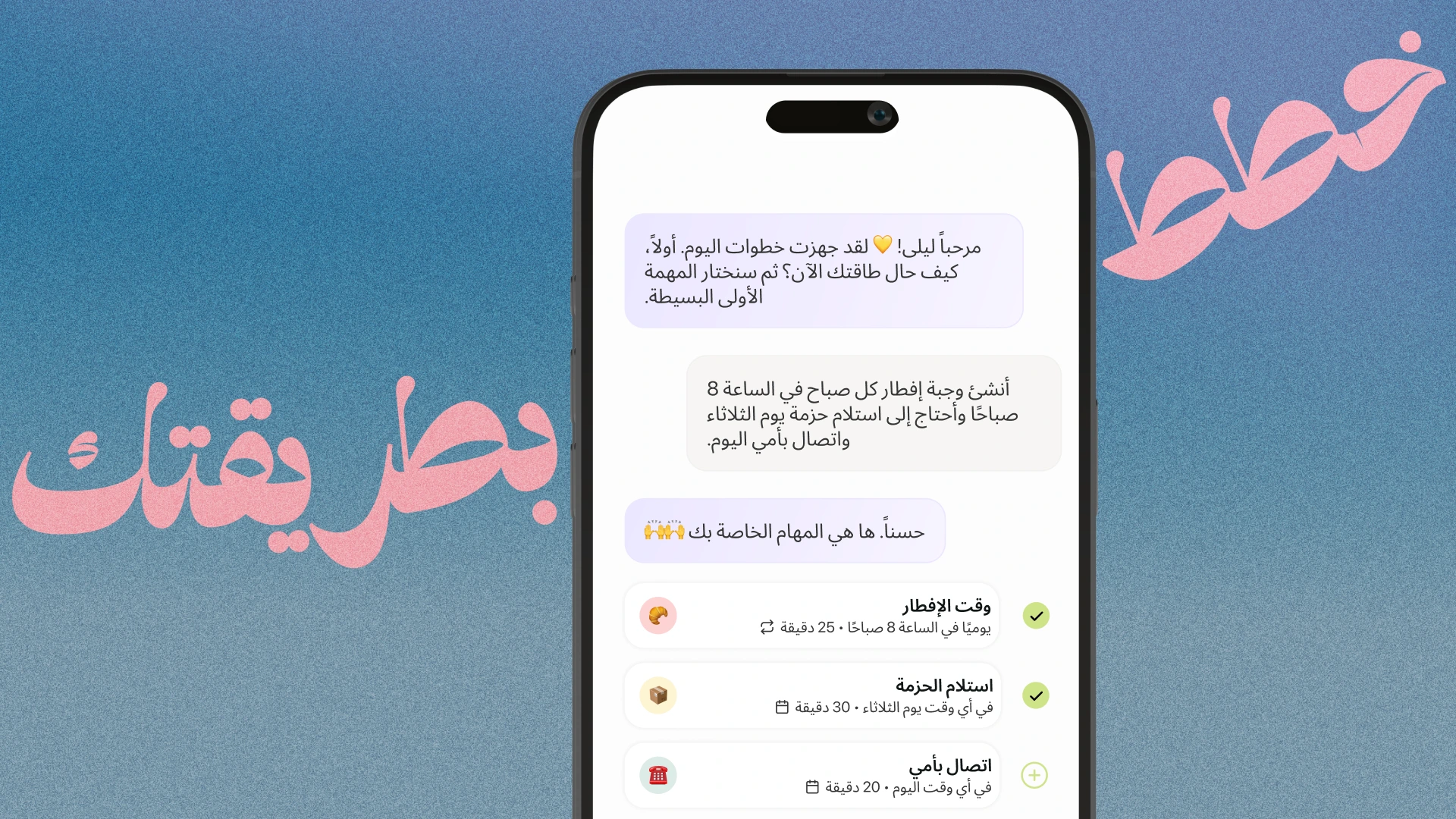
None of these changes are meant to be a single big moment. Siri support, smarter lists, a more flexible layout, they're all aimed at the same handful of executive function skills: task initiation, working memory, planning, and knowing how a day is actually going. The goal is a smaller gap between having a thought and getting it onto your plan. Adaptive planning is the one still in progress, and it's the one we're most curious to hear about once it ships, since it depends on real days going sideways in real ways.
If something feels off, or genuinely useful, once these features reach you, we'd like to hear about it. And if you want more on how Tiimo connects with Apple Health day to day, Tiimo Wellbeing is a good next read.

Siri integration, intelligent lists, snap to plans, and XL widgets. Here's everything Tiimo is bringing to iOS 27.
Apple's iOS 27 brings on-device AI through Apple's Foundation Models, deeper Siri integration, and interfaces that adapt to bigger screens and flexible window sizes. Here's everything that's changing, and what it actually does for your day.
Tiimo connects into iOS through Siri and App Intents — add tasks, check your schedule, or reschedule items by asking Siri, and see Tiimo info directly in the OS.
Shortcuts and App Intents mean you don't have to open the app to use it. Tiimo actions show up in Shortcuts, Spotlight, and system suggestions, so adding a task or starting a focus session happens the moment it crosses your mind, no Apple Intelligence required.
Asking Siri directly draws on Apple's Foundation Model instead. Where it's available, that means you can:
Availability note: Shortcuts and App Intents work for everyone, on any supported device and in any region. Conversational Siri requires Apple Intelligence and is not currently available to users in the EU.
A blank list can be its own barrier. Open something like "Chores" or "Groceries" and Tiimo now shows AI-suggested tasks based on the list's title, what's already on it, and what you've added or completed before, similar to how a playlist fills in tracks you didn't have to pick yourself.
The suggestions sit underneath your existing items with a simple add button, so the list already feels started before you've typed anything. It's a small shift, but it moves the effort from "what needs to go on this list" to "does this one apply to me," turning the planning and organizing work of a blank list into a much easier question to answer. It's the same thinking behind how Tiimo's AI co-planner was designed: support the decision, don't make it for you.
Availability note: Available to all users on iOS 27, from Tiimo app version 3.64.0.
Snap to plans reads a photo of handwritten notes, sticky notes, or a scrap of paper and turns it into a set of clear, editable tasks. A quick "call dad, buy gift, get back to Kim" scrawled in a notebook becomes three separate to-dos with their own timing, without you having to retype or reorganize anything first.
"Snap to plans" is built on Apple's on-device Foundation Model, so the messy middle step, the part where a thought has to become organized before it can become a task, gets handled automatically instead of resting on working memory to hold it together until you get around to it. For more on how we got here, Tiimo's AI planner story goes deeper.
Availability note: Runs on Tiimo's on-device Foundation Model. Requires iPhone 16 Pro or newer, and Tiimo app version 3.64.0 or later.
When you create a task or a list, Tiimo can now generate a fitting color and emoji automatically, break a larger task into subtasks (the planning and organizing work of turning a goal into steps), and estimate how long something will take (pushing back against time blindness, the tendency to lose track of how much time a task actually needs), all without you filling in each field by hand.
None of this is a single feature you turn on. It's a layer running underneath ordinary planning that removes a few taps here and a few decisions there, which adds up over a full day of use.
iOS 27 introduces XL widgets and more flexible window sizing, and Tiimo's layout has been rebuilt around a consistent rule: the primary action always sits on one side of the screen, and supporting tools and context sit on the other.
That structure holds steady whether you're looking at a compact widget or a resized window, so the interface adapts without becoming harder to scan. Tiimo's widgets and Live Activities, which we covered in an earlier update, already helped you check a plan without opening the app, and without having to hold that plan in your head between glances; this update extends that same idea to the bigger surfaces iOS 27 makes possible.
Availability note: Available on iOS 27.
Adaptive planning connects HealthKit data, like sleep and activity, with your Tiimo plan to understand how the day is actually going, not just how it was scheduled to go.
When something shifts, Tiimo gives a short daily reflection and can suggest a gentle adjustment: moving a task, adding a break, trimming the plan, or simply helping you refocus. It's a mix of self-monitoring, noticing how the day is actually unfolding, and cognitive flexibility, adjusting the plan instead of treating it as fixed once it's set. Both build on the same Apple Health connection behind Tiimo Wellbeing, extending it from reflection after the fact into something that adjusts alongside you as the day happens.
Status note: Runs on device Foundation Model, requiring iPhone 16 Pro or newer and Tiimo app version 3.64.0 or later.
Tiimo has a new app icon, designed for iOS 27's updated icon system.
Tiimo now supports Arabic, including full right-to-left layout, the first step toward broader language support beyond English.
None of these changes are meant to be a single big moment. Siri support, smarter lists, a more flexible layout, they're all aimed at the same handful of executive function skills: task initiation, working memory, planning, and knowing how a day is actually going. The goal is a smaller gap between having a thought and getting it onto your plan. Adaptive planning is the one still in progress, and it's the one we're most curious to hear about once it ships, since it depends on real days going sideways in real ways.
If something feels off, or genuinely useful, once these features reach you, we'd like to hear about it. And if you want more on how Tiimo connects with Apple Health day to day, Tiimo Wellbeing is a good next read.
Siri integration, intelligent lists, snap to plans, and XL widgets. Here's everything Tiimo is bringing to iOS 27.


Apple's iOS 27 brings on-device AI through Apple's Foundation Models, deeper Siri integration, and interfaces that adapt to bigger screens and flexible window sizes. Here's everything that's changing, and what it actually does for your day.
Tiimo connects into iOS through Siri and App Intents — add tasks, check your schedule, or reschedule items by asking Siri, and see Tiimo info directly in the OS.
Shortcuts and App Intents mean you don't have to open the app to use it. Tiimo actions show up in Shortcuts, Spotlight, and system suggestions, so adding a task or starting a focus session happens the moment it crosses your mind, no Apple Intelligence required.
Asking Siri directly draws on Apple's Foundation Model instead. Where it's available, that means you can:
Availability note: Shortcuts and App Intents work for everyone, on any supported device and in any region. Conversational Siri requires Apple Intelligence and is not currently available to users in the EU.
A blank list can be its own barrier. Open something like "Chores" or "Groceries" and Tiimo now shows AI-suggested tasks based on the list's title, what's already on it, and what you've added or completed before, similar to how a playlist fills in tracks you didn't have to pick yourself.
The suggestions sit underneath your existing items with a simple add button, so the list already feels started before you've typed anything. It's a small shift, but it moves the effort from "what needs to go on this list" to "does this one apply to me," turning the planning and organizing work of a blank list into a much easier question to answer. It's the same thinking behind how Tiimo's AI co-planner was designed: support the decision, don't make it for you.
Availability note: Available to all users on iOS 27, from Tiimo app version 3.64.0.
Snap to plans reads a photo of handwritten notes, sticky notes, or a scrap of paper and turns it into a set of clear, editable tasks. A quick "call dad, buy gift, get back to Kim" scrawled in a notebook becomes three separate to-dos with their own timing, without you having to retype or reorganize anything first.
"Snap to plans" is built on Apple's on-device Foundation Model, so the messy middle step, the part where a thought has to become organized before it can become a task, gets handled automatically instead of resting on working memory to hold it together until you get around to it. For more on how we got here, Tiimo's AI planner story goes deeper.
Availability note: Runs on Tiimo's on-device Foundation Model. Requires iPhone 16 Pro or newer, and Tiimo app version 3.64.0 or later.
When you create a task or a list, Tiimo can now generate a fitting color and emoji automatically, break a larger task into subtasks (the planning and organizing work of turning a goal into steps), and estimate how long something will take (pushing back against time blindness, the tendency to lose track of how much time a task actually needs), all without you filling in each field by hand.
None of this is a single feature you turn on. It's a layer running underneath ordinary planning that removes a few taps here and a few decisions there, which adds up over a full day of use.
iOS 27 introduces XL widgets and more flexible window sizing, and Tiimo's layout has been rebuilt around a consistent rule: the primary action always sits on one side of the screen, and supporting tools and context sit on the other.
That structure holds steady whether you're looking at a compact widget or a resized window, so the interface adapts without becoming harder to scan. Tiimo's widgets and Live Activities, which we covered in an earlier update, already helped you check a plan without opening the app, and without having to hold that plan in your head between glances; this update extends that same idea to the bigger surfaces iOS 27 makes possible.
Availability note: Available on iOS 27.
Adaptive planning connects HealthKit data, like sleep and activity, with your Tiimo plan to understand how the day is actually going, not just how it was scheduled to go.
When something shifts, Tiimo gives a short daily reflection and can suggest a gentle adjustment: moving a task, adding a break, trimming the plan, or simply helping you refocus. It's a mix of self-monitoring, noticing how the day is actually unfolding, and cognitive flexibility, adjusting the plan instead of treating it as fixed once it's set. Both build on the same Apple Health connection behind Tiimo Wellbeing, extending it from reflection after the fact into something that adjusts alongside you as the day happens.
Status note: Runs on device Foundation Model, requiring iPhone 16 Pro or newer and Tiimo app version 3.64.0 or later.
Tiimo has a new app icon, designed for iOS 27's updated icon system.
Tiimo now supports Arabic, including full right-to-left layout, the first step toward broader language support beyond English.
None of these changes are meant to be a single big moment. Siri support, smarter lists, a more flexible layout, they're all aimed at the same handful of executive function skills: task initiation, working memory, planning, and knowing how a day is actually going. The goal is a smaller gap between having a thought and getting it onto your plan. Adaptive planning is the one still in progress, and it's the one we're most curious to hear about once it ships, since it depends on real days going sideways in real ways.
If something feels off, or genuinely useful, once these features reach you, we'd like to hear about it. And if you want more on how Tiimo connects with Apple Health day to day, Tiimo Wellbeing is a good next read.
When you're ready, try Tiimo and make structure a little easier.

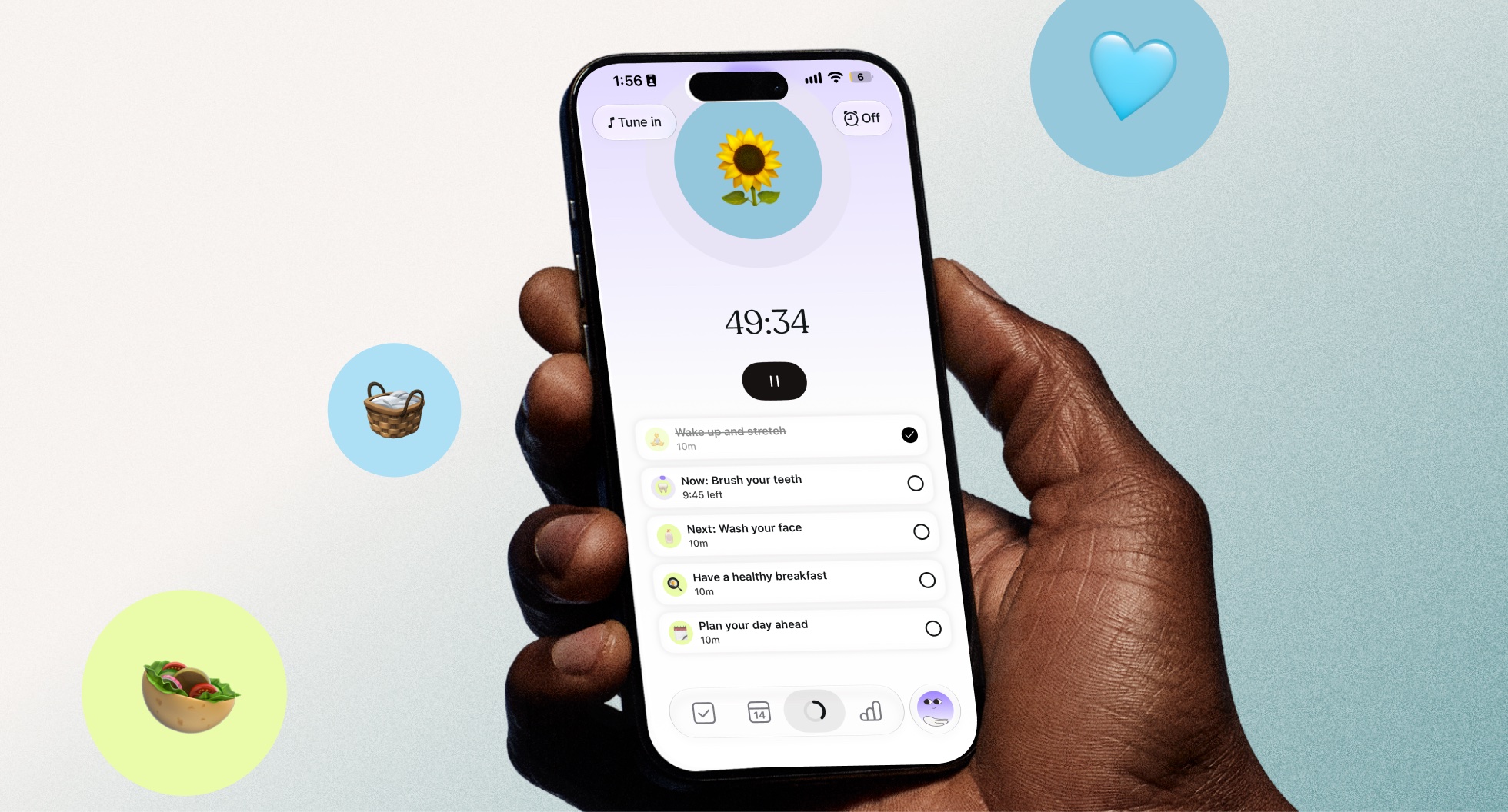
Timers on subtasks make time visible for the smaller steps inside a task. Here’s what the feature does and how it gives you a clearer view as you go.
Five ADHD-friendly organization tips that reduce clutter and simplify cleaning.

Why some ADHD'ers are diagnosed later in life and where to find support.
