
Your home screen just got smarter | New iOS widgets
Tiimo’s latest iOS widgets bring smarter functionality to your home screen. Start focus sessions, track tasks, and stay on top of your plans with improved visibility and control.
No items found.

Tiimo’s latest iOS widgets bring smarter functionality to your home screen. Start focus sessions, track tasks, and stay on top of your plans with improved visibility and control.
Your tools should work the way your brain does. With our latest widget updates, Tiimo brings structure, flexibility, and ease right to your home screen. Whether it is getting started, staying on track, or keeping an overview of your day, these widgets are designed to remove friction and help you follow through.
Widgets should not just display information, they should help you act. That is exactly what these new and improved Tiimo widgets do. They bring more functionality to your home screen so you can engage with your plans directly, without needing to open the app.
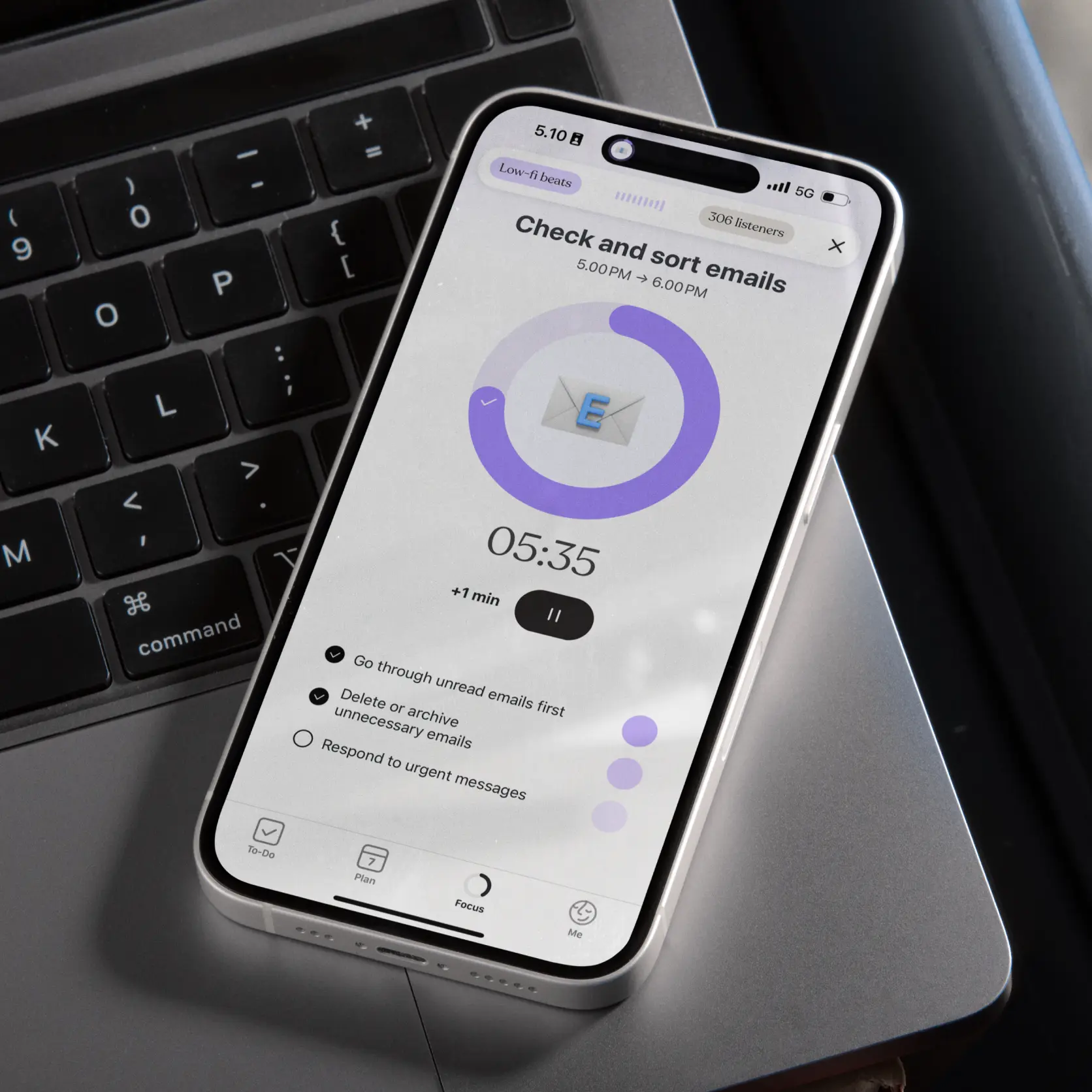
Getting started can be the hardest part. The start focus widget removes that barrier by giving you a one tap way to begin a focus session. No extra steps, no app navigation. Just tap and begin.
What it solves:
Where you will find it: iPhone, iPad, macOS Sonoma home screen

Before: A static display of your current task.
Now: A clearer, more functional tracker that helps you see what is ongoing or paused so you do not lose track of where you are in your day.
Who it is for:
Available on: iPhone, iPad, macOS Sonoma home screen, lock screen, Apple Watch
Before: A list of tasks with little clarity on what is next.
Now: A more structured and digestible format that highlights what is happening now and what is coming up, keeping you accountable without overwhelm.
Who it is for:
Available on: iPhone, iPad, macOS Sonoma home screen, lock screen

We have optimized our medium sized widgets to make them more useful. Now they include:
Who they are for:
Available on: iPhone, iPad, macOS Sonoma home screen
The notes widget has been removed for now. If you used it, we would love to hear how it helped you. Your feedback shapes what comes next.
These updates are not just about making widgets look better. They are about making planning, focus, and task management easier. Tiimo’s new and improved widgets bring essential tools right to your home screen, helping you stay engaged, accountable, and on track with less effort.
Try them out, customize them to fit your routine, and see what works best for you. For more information and a detailed breakdown of how to add widgets to your home and lock screen, head to our FAQ.

Tiimo’s latest iOS widgets bring smarter functionality to your home screen. Start focus sessions, track tasks, and stay on top of your plans with improved visibility and control.
Your tools should work the way your brain does. With our latest widget updates, Tiimo brings structure, flexibility, and ease right to your home screen. Whether it is getting started, staying on track, or keeping an overview of your day, these widgets are designed to remove friction and help you follow through.
Widgets should not just display information, they should help you act. That is exactly what these new and improved Tiimo widgets do. They bring more functionality to your home screen so you can engage with your plans directly, without needing to open the app.
Getting started can be the hardest part. The start focus widget removes that barrier by giving you a one tap way to begin a focus session. No extra steps, no app navigation. Just tap and begin.
What it solves:
Where you will find it: iPhone, iPad, macOS Sonoma home screen
Before: A static display of your current task.
Now: A clearer, more functional tracker that helps you see what is ongoing or paused so you do not lose track of where you are in your day.
Who it is for:
Available on: iPhone, iPad, macOS Sonoma home screen, lock screen, Apple Watch
Before: A list of tasks with little clarity on what is next.
Now: A more structured and digestible format that highlights what is happening now and what is coming up, keeping you accountable without overwhelm.
Who it is for:
Available on: iPhone, iPad, macOS Sonoma home screen, lock screen
We have optimized our medium sized widgets to make them more useful. Now they include:
Who they are for:
Available on: iPhone, iPad, macOS Sonoma home screen
The notes widget has been removed for now. If you used it, we would love to hear how it helped you. Your feedback shapes what comes next.
These updates are not just about making widgets look better. They are about making planning, focus, and task management easier. Tiimo’s new and improved widgets bring essential tools right to your home screen, helping you stay engaged, accountable, and on track with less effort.
Try them out, customize them to fit your routine, and see what works best for you. For more information and a detailed breakdown of how to add widgets to your home and lock screen, head to our FAQ.
Tiimo’s latest iOS widgets bring smarter functionality to your home screen. Start focus sessions, track tasks, and stay on top of your plans with improved visibility and control.


Your tools should work the way your brain does. With our latest widget updates, Tiimo brings structure, flexibility, and ease right to your home screen. Whether it is getting started, staying on track, or keeping an overview of your day, these widgets are designed to remove friction and help you follow through.
Widgets should not just display information, they should help you act. That is exactly what these new and improved Tiimo widgets do. They bring more functionality to your home screen so you can engage with your plans directly, without needing to open the app.
Getting started can be the hardest part. The start focus widget removes that barrier by giving you a one tap way to begin a focus session. No extra steps, no app navigation. Just tap and begin.
What it solves:
Where you will find it: iPhone, iPad, macOS Sonoma home screen
Before: A static display of your current task.
Now: A clearer, more functional tracker that helps you see what is ongoing or paused so you do not lose track of where you are in your day.
Who it is for:
Available on: iPhone, iPad, macOS Sonoma home screen, lock screen, Apple Watch
Before: A list of tasks with little clarity on what is next.
Now: A more structured and digestible format that highlights what is happening now and what is coming up, keeping you accountable without overwhelm.
Who it is for:
Available on: iPhone, iPad, macOS Sonoma home screen, lock screen
We have optimized our medium sized widgets to make them more useful. Now they include:
Who they are for:
Available on: iPhone, iPad, macOS Sonoma home screen
The notes widget has been removed for now. If you used it, we would love to hear how it helped you. Your feedback shapes what comes next.
These updates are not just about making widgets look better. They are about making planning, focus, and task management easier. Tiimo’s new and improved widgets bring essential tools right to your home screen, helping you stay engaged, accountable, and on track with less effort.
Try them out, customize them to fit your routine, and see what works best for you. For more information and a detailed breakdown of how to add widgets to your home and lock screen, head to our FAQ.
When you're ready, try Tiimo and make structure a little easier.

Five ADHD-friendly organization tips that reduce clutter and simplify cleaning.
Why some ADHD'ers are diagnosed later in life and where to find support.
You’ve got plenty of energy, so why can’t you use it on the task that matters? Learn what blocks ADHD motivation and how to make difficult tasks easier to start.
